See every rental on one calendar
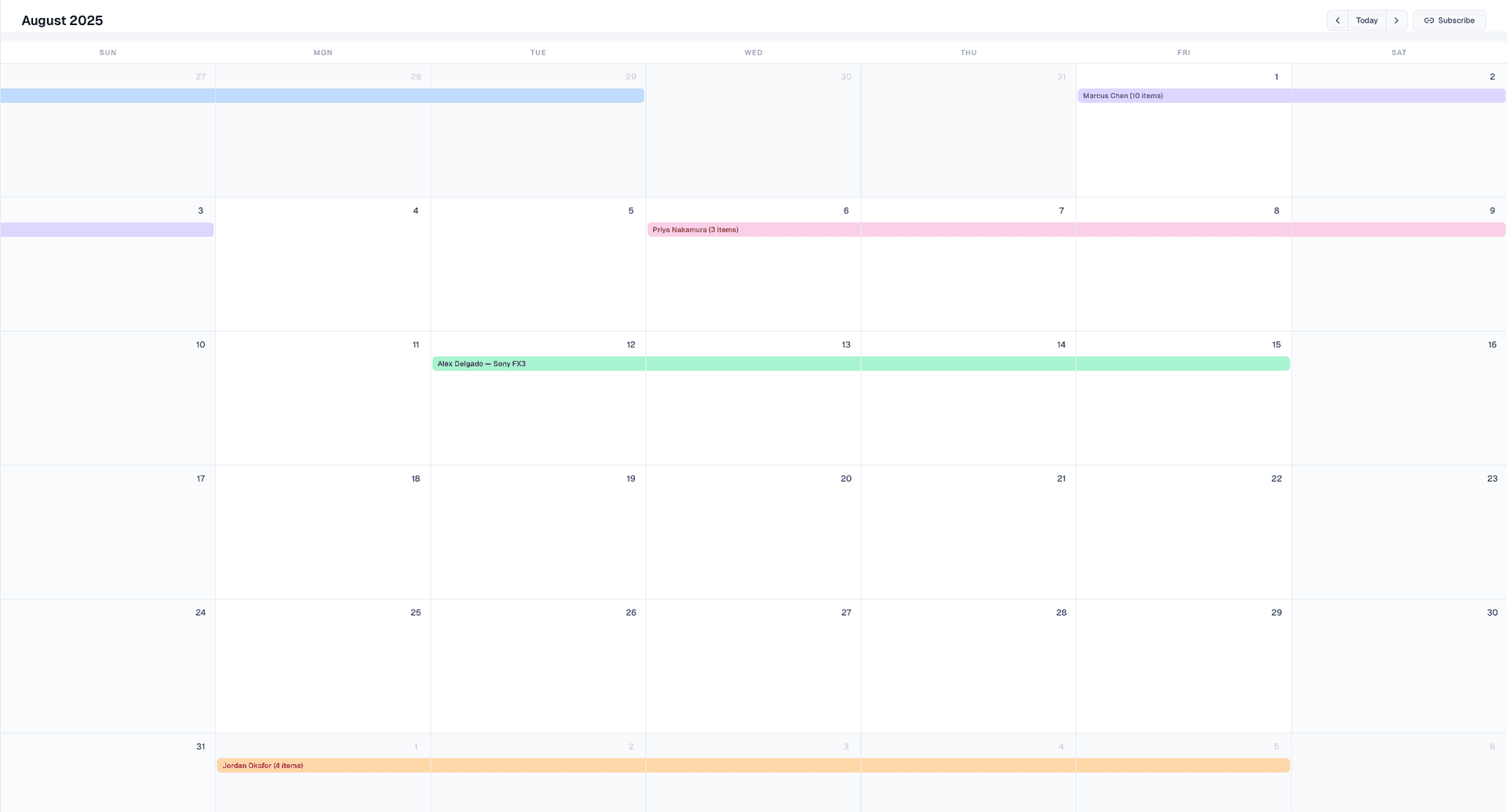
Rental IQ puts all your bookings, from Sharegrid and off-platform, on a single calendar so you always know what is out, what is coming back, and what is available.
Rental schedules are scattered everywhere
Sharegrid sends you booking confirmations by email. Off-platform rentals live in text threads, Google Docs, or your memory. There is no single place to see the full picture of what is rented and when.
Without a consolidated calendar, double-bookings happen. You forget when gear comes back. And you lose track of how busy your inventory actually is week to week.
Rental IQ builds a calendar automatically from your imported transactions and manual entries, so every booking shows up in one place.
How it works
Bookings populate automatically
When you import rental data from CSV, email, or manual entry, each booking appears on the calendar with the equipment name, renter, and date range.
Browse by month
Navigate between months to see past and upcoming rentals. Click any day to see the full details of every booking on that date.
Log rentals directly from the calendar
Use the "Log Rental" button to add off-platform bookings without leaving the calendar view.
Sync with Google Calendar
Connect your Google account and Rental IQ writes bookings directly to your Google Calendar as events. Rentals appear, update, and cancel in real time. You can also generate a feed URL for Apple Calendar or Outlook.
What makes this different
Every source in one view
Sharegrid bookings, off-platform rentals, and manually logged transactions all show up on the same calendar. No switching between apps.
Native Google Calendar sync
Rental IQ writes directly to your Google Calendar through a real integration, not just a read-only feed. Bookings appear as events with equipment names, renter details, and date ranges that stay up to date automatically.
Built for rental timelines
Each booking spans the correct date range with equipment and renter names visible at a glance. This is not a generic event calendar repurposed for rentals.
Who it's for
Solo owner-operators
If you rent out a handful of items and track everything in your head, the calendar gives you a reliable record of when gear was out and who had it.
High-volume renters
With a large inventory and multiple bookings per week, you need to see the full schedule at a glance. The calendar shows density, overlaps, and open availability windows.
Rental houses
For rental houses coordinating gear across multiple clients, the calendar provides a shared view of every active booking, with the option to subscribe from your team calendar.
Related features
Ready to track your rental business?
Free during beta. No credit card required. Import your data and start seeing results in minutes.